
Theseus
Rehearse install, upgrade, rollback and uninstall in disposable containers, and keep the evidence.
Theseus (Θησεύς) is the hero who went into the labyrinth and came back out by following Ariadne's thread. This one follows a tool through its lifecycle and keeps the thread of evidence needed to retrace what changed.
- Rust
- Ratatui
- Docker
- MCP
- Claude Code
GitHub (opens in a new tab)README (opens in a new tab)Changelog (opens in a new tab)
On this pageInstall is the easy part
Install is the easy part
Most installation testing stops at a clean install on a fresh machine. The harder questions come later. Does an upgrade keep the user's data? Does a reinstall break the configuration? What happens when an upgrade is killed halfway? Can a rollback reach a known-good version? And after uninstall, which files are still on disk?
Theseus rehearses those lifecycles in disposable Linux containers that it creates and owns. A recipe declares the install, configure, upgrade, interruption, downgrade, rollback and uninstall steps, plus the checks that should hold after each one. Every selected profile and scenario runs in a fresh container, and the run keeps the evidence: commands, private logs, file fingerprints, check outcomes and remaining files that need a maintainer's review.
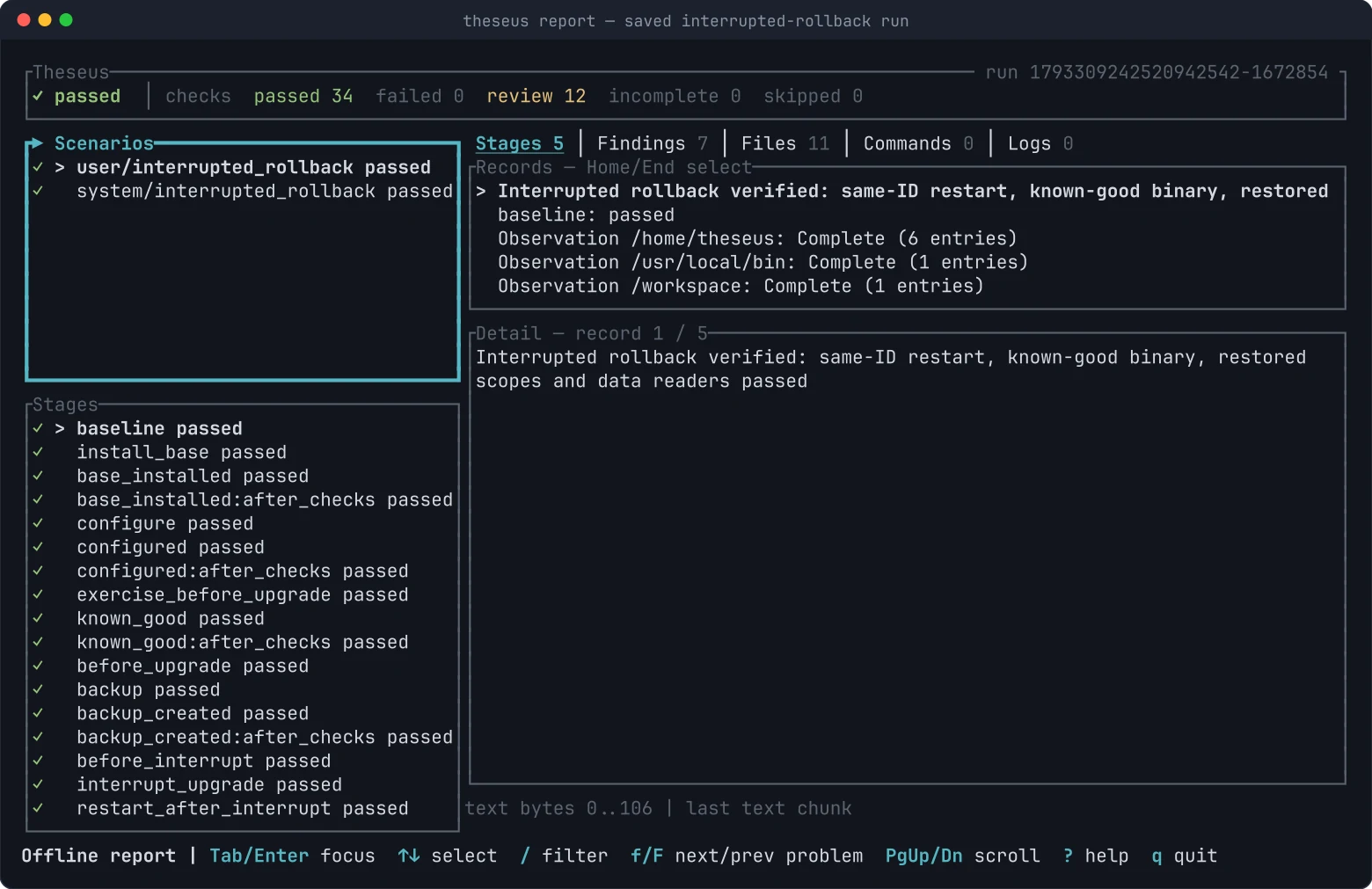
The screenshots are generated from fixture runs by the repository's screenshot script.
Getting started
Theseus is pre-release. It needs a current stable Rust toolchain, the Docker CLI and a reachable Docker daemon. The controller runs on Linux, macOS or Windows; the guests are Linux containers.
cargo install --git https://github.com/AraneaDev/theseus --locked theseus
theseus --help
The theseus binary lands in Cargo's bin directory, usually ~/.cargo/bin. The examples live in the repository, so clone it to try the standalone fixture. It installs real v1 and v2 shell executables, configures them, checks their identity and retained data, and removes them again:
git clone https://github.com/AraneaDev/theseus.git
cd theseus/examples/standalone
docker pull ubuntu:24.04
theseus validate
theseus                        # preview first; press r to run
theseus run --headless --profile user --scenario clean
Theseus does not pull images unless you pass run --pull, and it records the immutable image ID each run used. The run prints where its report is stored. Reopen it later without Docker:
theseus report .theseus-runs/RUN_ID
theseus report .theseus-runs/RUN_ID --json
theseus cleanup .theseus-runs/RUN_ID
theseus init writes a starter recipe for your own tool. Its placeholder commands fail on purpose until you replace them.
The workbench
Running theseus without arguments opens a preview, not a run. It shows the selected profiles and scenarios, the fixed guest environment and every step's command. p and s cycle profiles and scenarios, and nothing executes until you press r.
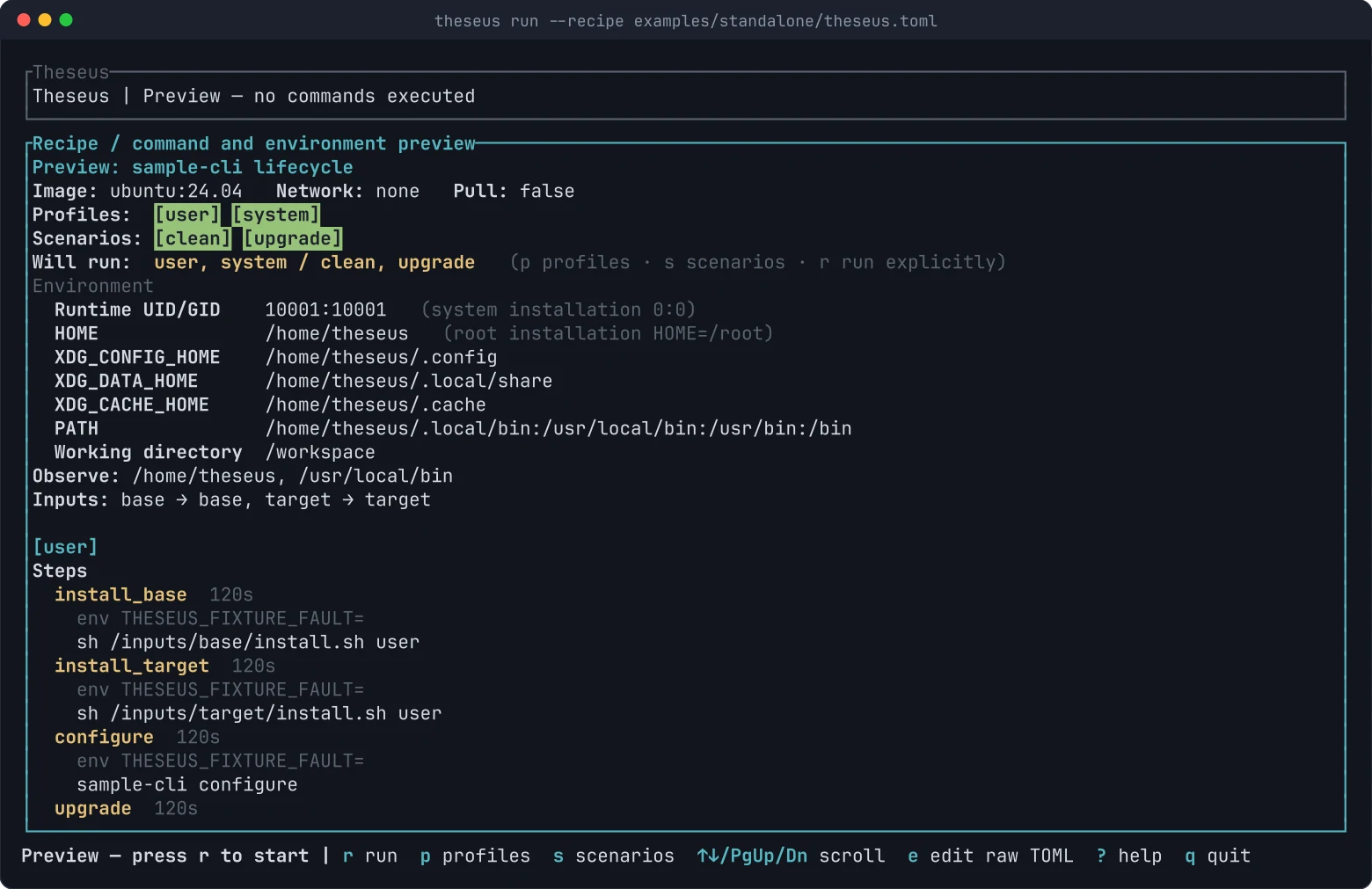
Press e in a fresh preview to edit the recipe as raw TOML. Ctrl-T validates the draft, and Ctrl-S saves it as a new file beside the original. The editor never overwrites an existing file, never autosaves and never starts a run by itself.
During a run the header shows the running scenario, the stage and the elapsed time, while finished stages fill the selector.
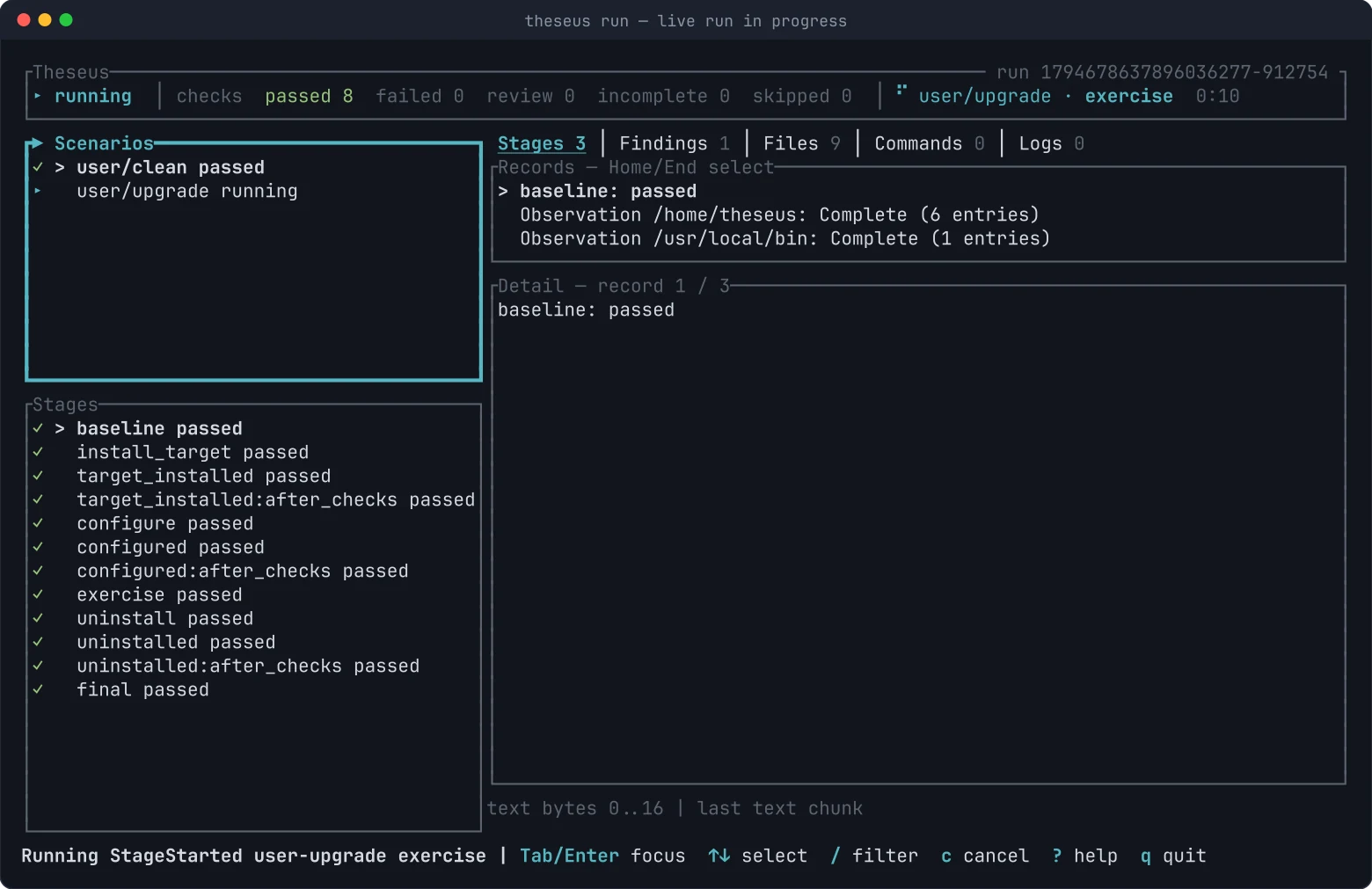
Live and saved reports share the same view: stages, findings, files, commands and logs. A saved report opens on the first stage that needs attention. f and F jump between problem stages, / filters the evidence and y copies the selected record. ? lists every key for the current mode. Mouse support is opt-in through --mouse, because capturing the mouse disables the terminal's own text selection.
Comparisons, plugins and MCP checks
A comparison suite runs several installation methods, or several actual image IDs, through the same engine and compares the declared file scopes. Each variant gets fresh containers. From the repository root:
theseus compare --suite examples/comparisons/methods.toml --headlessTwo recipe types target agent tooling. A plugin lifecycle installs, updates, disables, enables and uninstalls a local Claude Code plugin inside the guest, with inventory checks at every checkpoint. An MCP lifecycle rehearses another server's registration with a version-bound client and probes its identity and tool list. Both use a client binary you supply explicitly. Theseus never discovers or runs a client from your host.
Use it from an agent
theseus serve exposes the same engine to an MCP client over ordinary stdin and stdout. It has no model dependency and opens no network port. Both roots are required:
theseus serve --project-root /absolute/project --output-root /absolute/evidence --max-run-seconds 3600| Tool | Purpose |
|---|---|
recipe_inspect | Inspect a recipe and page sanitized records. |
run_start | Admit a digest-bound selection. |
run_list | List this server process's admissions. |
run_status | Poll cached state or refresh saved evidence. |
run_cancel | Request cancellation of an admitted run. |
run_evidence | Page saved records and raw log bytes. |
Inspecting a recipe or reading evidence never prepares Docker or executes anything. An admitted run is not a successful run: the client polls until the run finishes and then reads the outcome.
What the evidence does and does not claim
Every result is scoped to the checks and observations the recipe declares. A passing run can still list files that need a human decision, and Theseus shows those findings beside the outcome rather than folding them into a green tick. Logs and comparisons are bounded, and where a capture was cut short the report says so.
Cleanup removes only resources recorded in the run's journal and carrying Theseus's ownership labels. There is no global Docker prune, and Theseus does not change your daemon settings or user groups.
The limits are deliberate:
- A container is not a sandbox for hostile code. Recipes are meant for inputs the maintainer controls.
- An interruption is an abrupt stop of the whole container at a declared pause point. It says nothing about host power loss, fsync behaviour or arbitrary installer interleavings.
- Native targets through the native helper are merged and pass native CI on Linux, macOS and Windows, but acceptance on real supplied machines over SSH, VM reset and interactive desktop sessions is still pending.
Status
Theseus is pre-release; the first tagged release will be 0.0.1. Release acceptance requires the same source to pass the native Linux, macOS and Windows jobs and all Linux Docker suites. The roadmap tracks what is complete and what is still open. See the documentation index for the recipe reference, evidence contracts and recovery guide.