
Knossos
Map dependencies, inspect change impact and keep architecture knowledge beside your work.
Knossos (Κνωσός) is a Bronze Age palace on Crete, associated with the Labyrinth in Greek mythology.
- PHP
- TypeScript
- Rust
- MCP
- Claude Code
GitHub (opens in a new tab)README (opens in a new tab)Changelog (opens in a new tab)
On this pageWhat it does
What it does
Dependency analysis from source alone must be repeated in each session and can produce incomplete results. Knossos scans the repository into a local graph of components and their relationships, with file and line references for each. Relationships that static analysis cannot establish conclusively include confidence and origin labels.
What such a graph finds that an agent reading file by file misses is in What a dependency graph finds that your coding agent misses.
In Claude Code, /knossos opens the graph in a live pane beside your session. Hooks also add short context notes after relevant file reads, edits and commits: dependent files, applicable rules and related tests.
Context notes for Claude Code
Four types of single-line note are added at specific points in a session. Each note appears once for the relevant event and does not block tool calls.
| Note | Trigger |
|---|---|
| Read | after a Read of a file with many dependents or an applicable policy |
| edit | after an edit of a file with many dependents that did not receive a Read note |
| turn end | after a turn that edited files, once it is scanned: the boundary violations it introduced and the tests that reach its changes |
| commit | after a commit, summarising remaining effects of the session's changes |
A Read note for a file with many dependents and an applicable boundary policy:
knossos: src/Query/ResultEnvelope.php (core) has 47 dependent files. Policy: core may not depend on php-worker, tests.And after a commit:
knossos: this session's changes carry 1 changed file no test reaches (src/Kernel.php); 1 dependency cycle new since the session began (Router → Kernel). Check them before you push.Before an edit, file_context can retrieve a file's boundary, applicable rules, dependents, related tests, latest commits and session change status in one tool call.
Each session starts with a short brief: whether the graph still matches the files, the project's rules and recorded notes. A routing skill specifies when to use the graph and when to search source text with grep.
The pane
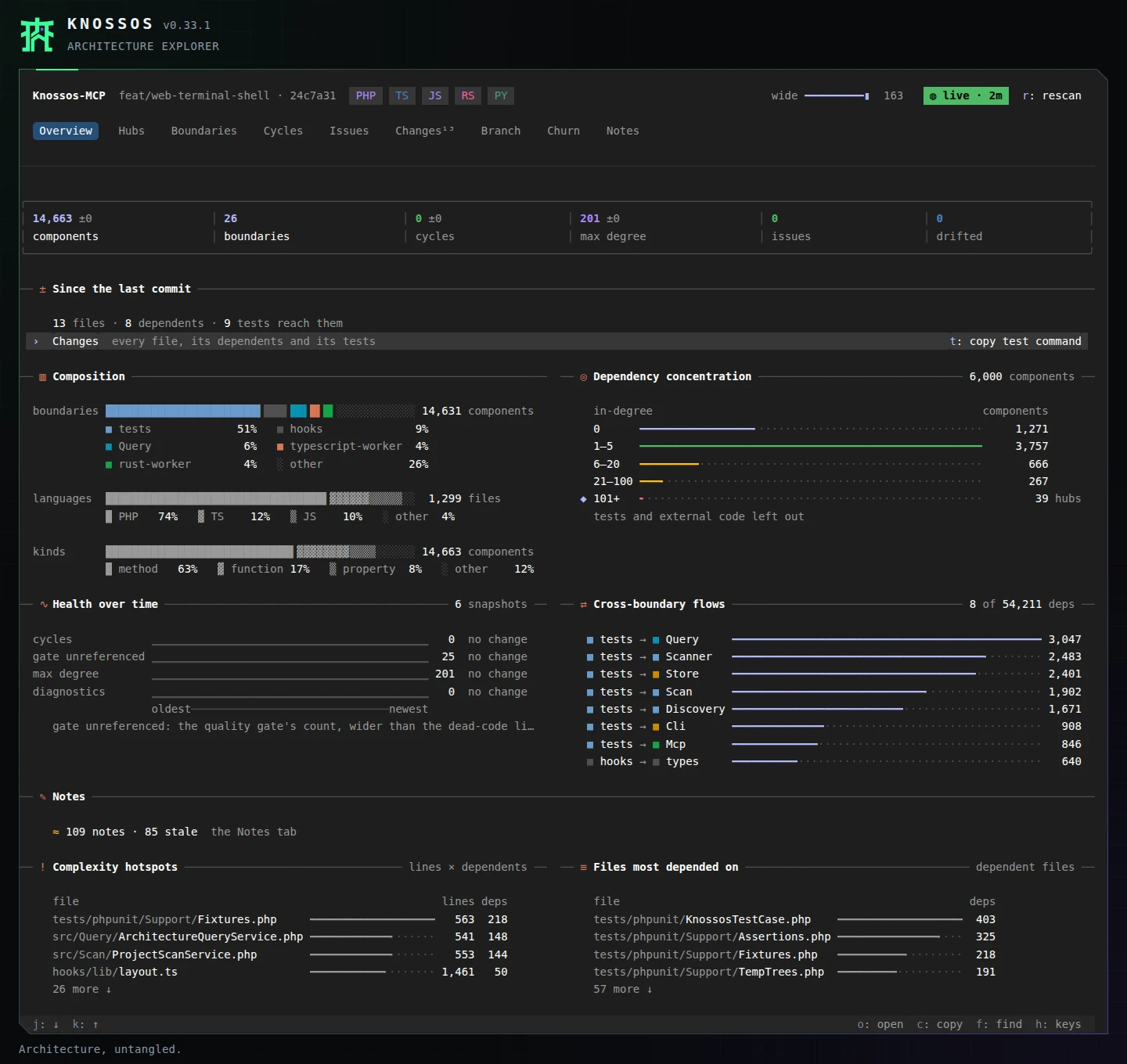
/knossos opens the project's architecture on nine tabs: Overview, Hubs, Boundaries, Cycles, Issues, Changes, Branch, Churn and Notes. It opens on Overview.
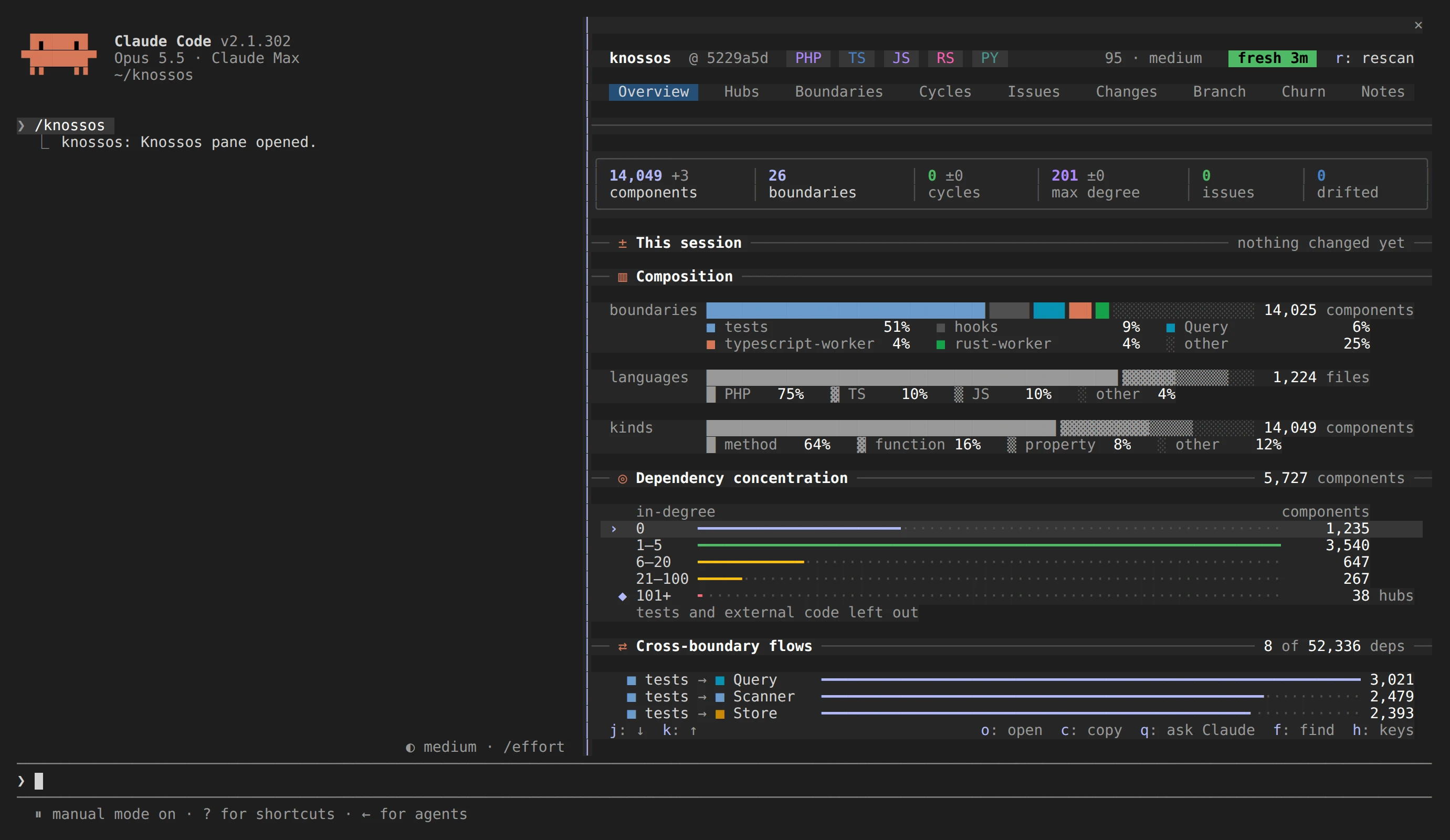
Hubs lists the most depended-on components. On a wide pane the marked one's neighbourhood stands beside the list, so you can inspect its dependencies without leaving the tab.
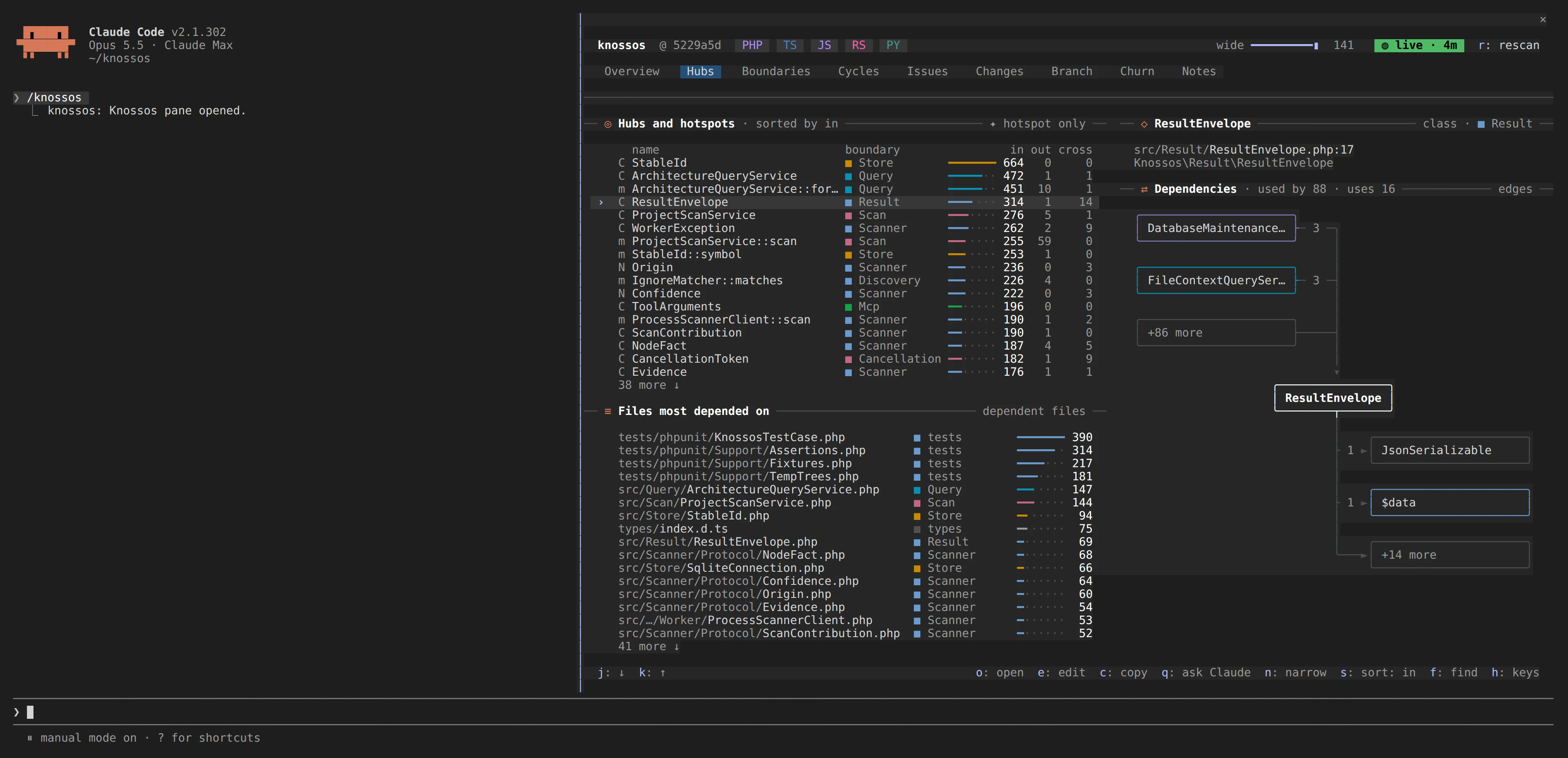
Cycles draws each dependency cycle as a row of boxes, from its first member back to the start.
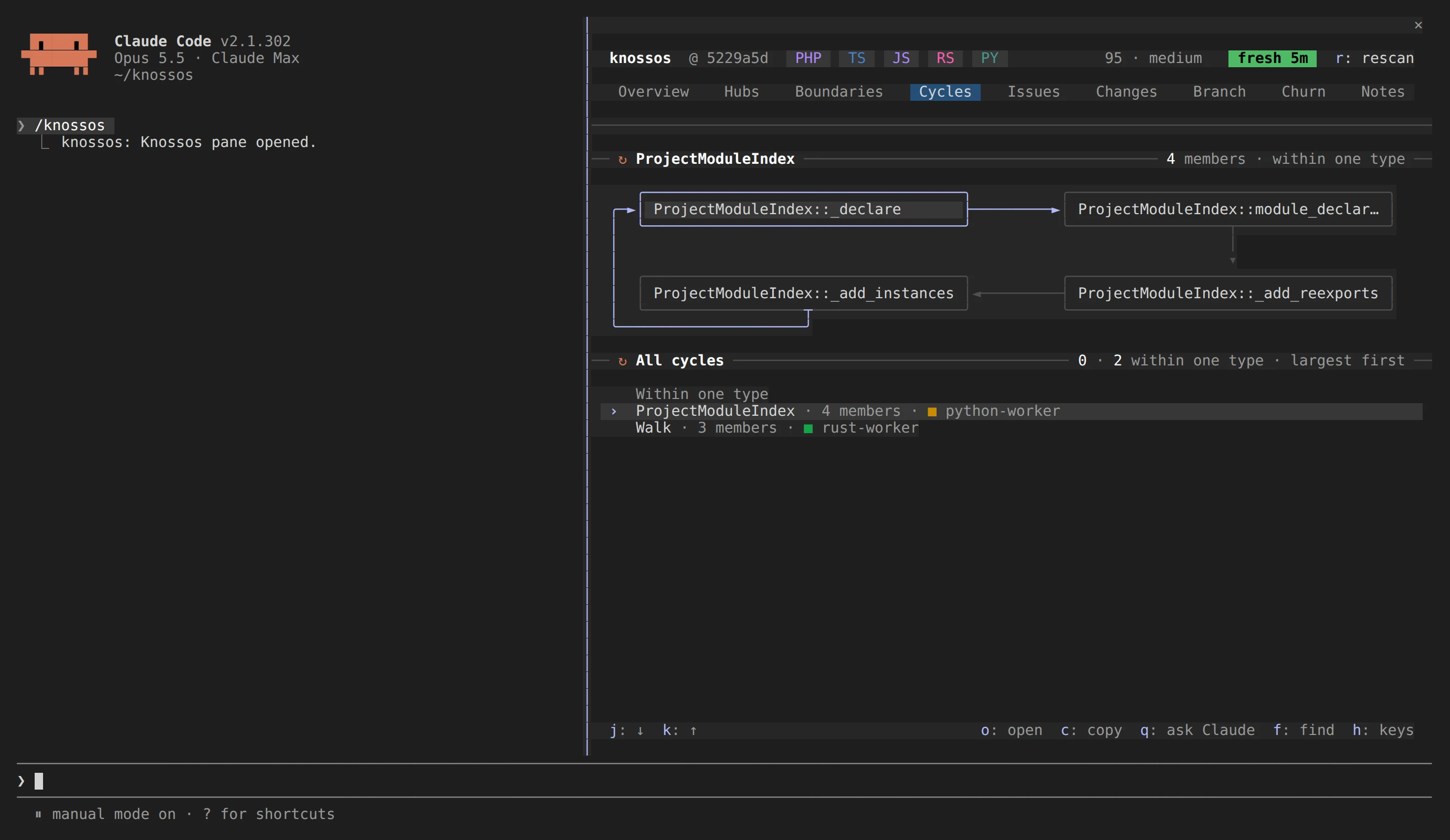
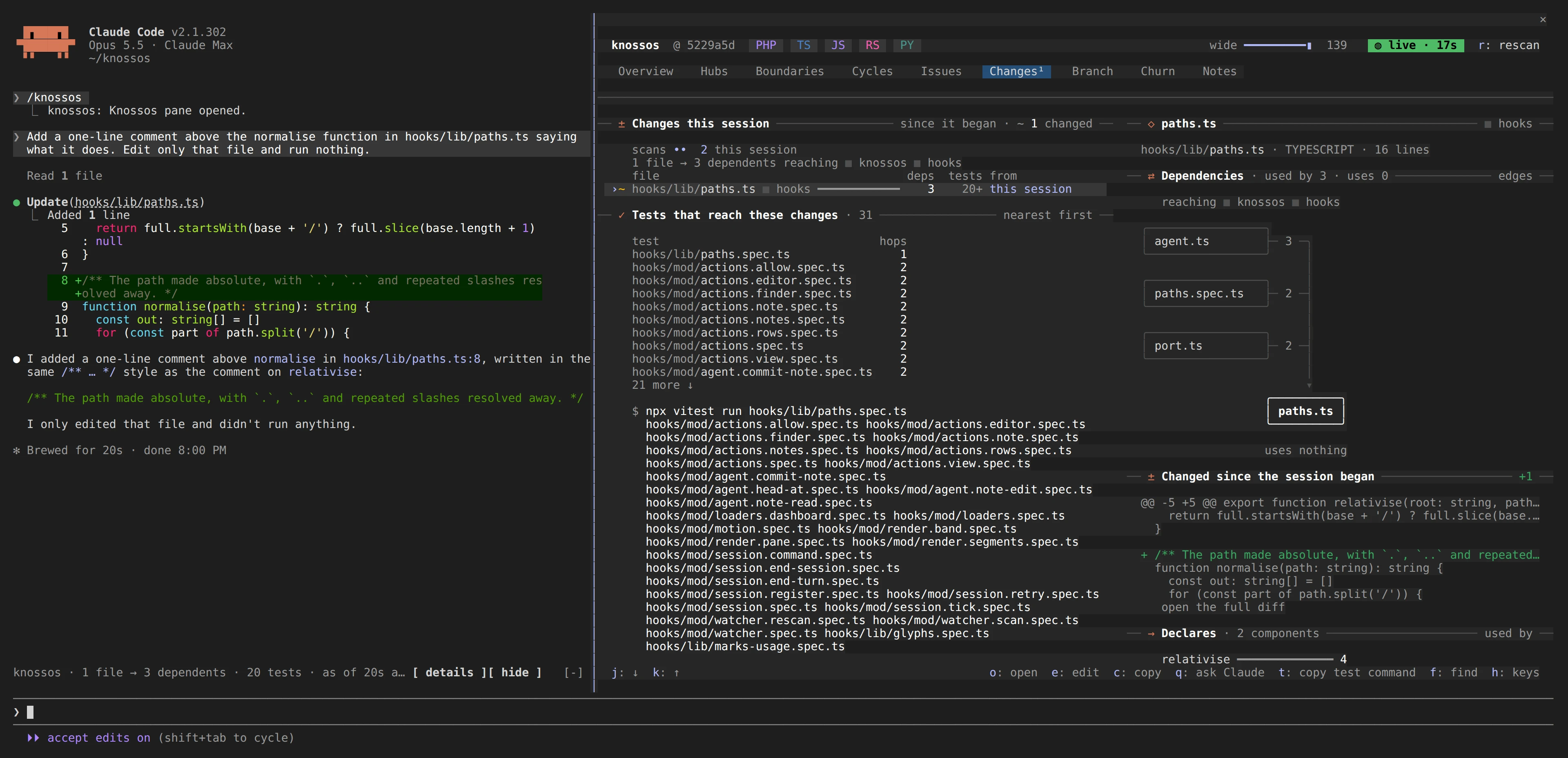
After a turn that edited files, one line above the prompt reports the change impact:
knossos · 2 files → 37 dependents · 4 tests · as of 12s ago · reaching core, http +1Changes holds the rest: every file changed since the session began, its dependents, the tests that reach it, and its diff.
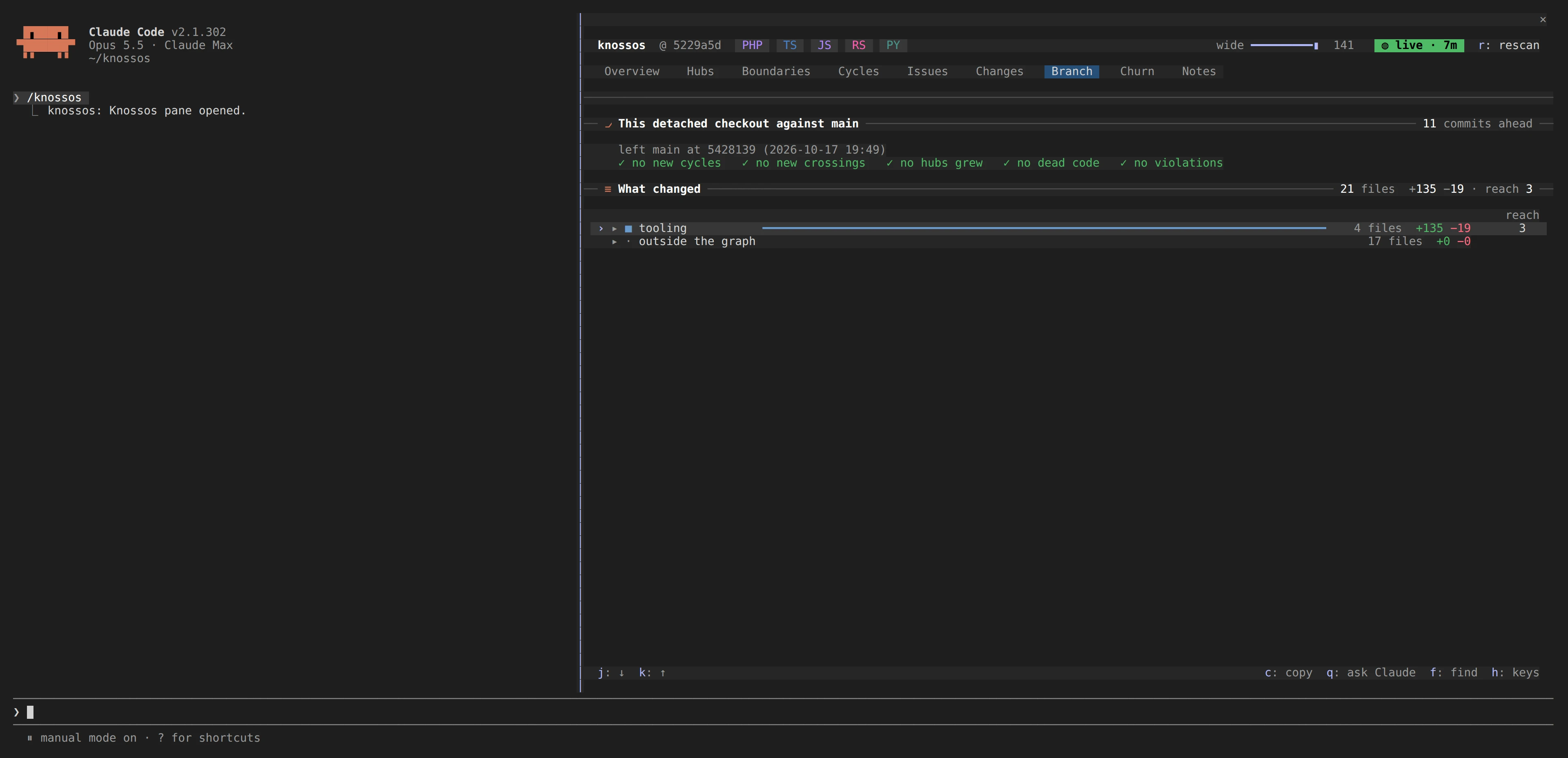
Branch compares the checkout with its merge base, so you see what a branch added before you open a pull request.
Every component and file has a detail view with dependency impact displayed as rings. Use the finder to locate a component by name.
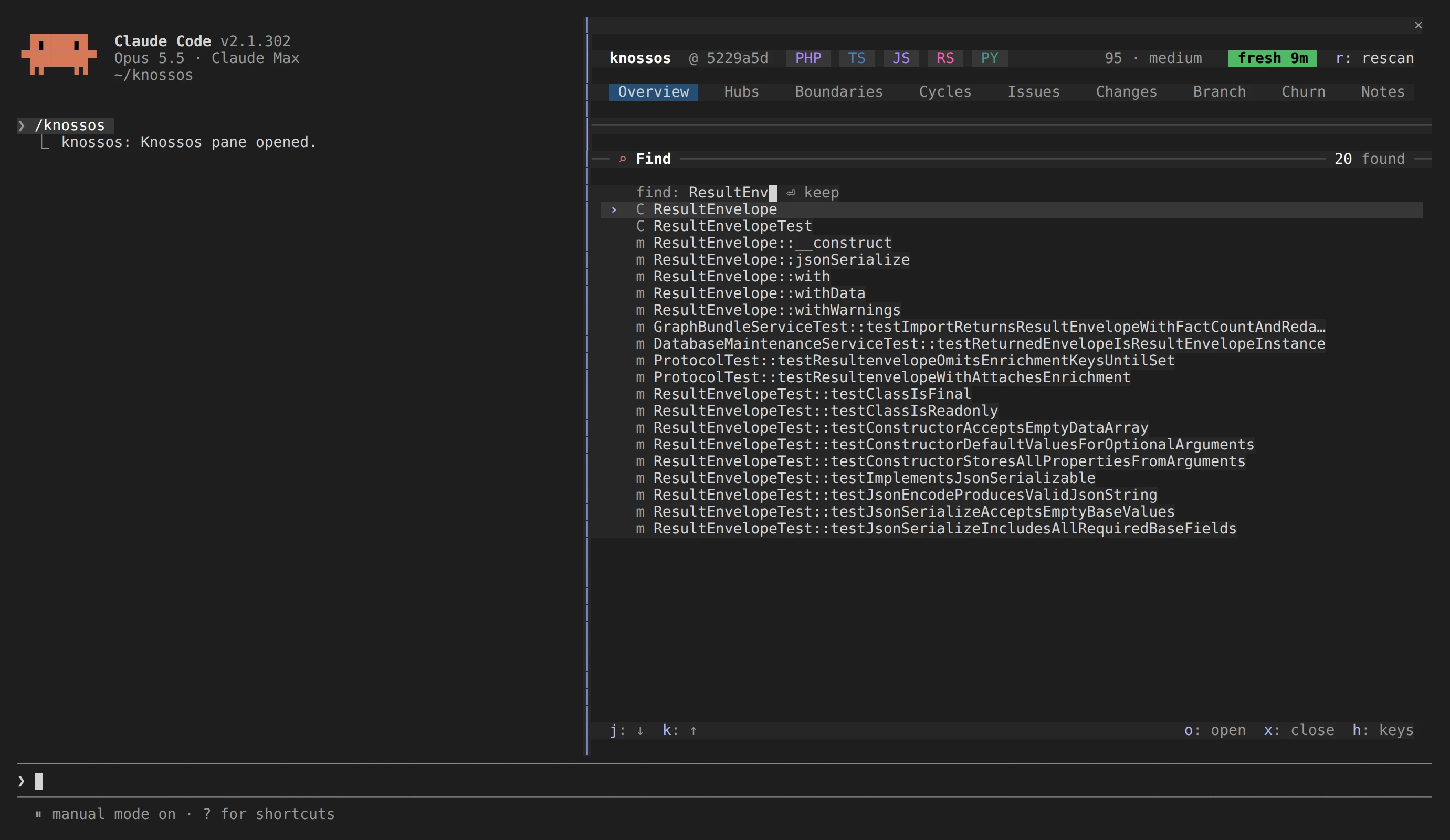
f, enter part of a component name and press Enter to open the detail view.A live watcher, one per project and shared by your sessions, rescans as files change, so the pane and the notes follow edits made by anyone. The pane does not block edits or initiate turns. If a prerequisite is missing, pane output is omitted.
Open the pane in your terminal
knossos without a command opens the same nine tabs fullscreen in your terminal, with the mouse and the keys of the pane. Keep it in a tmux split beside your work:
cd /path/to/your-project
knossos
Ctrl-C quits, and so does q, except on a project that was never scanned, where q starts the scan. The terminal pane shares the project's server with knossos web, so a browser open on the same project shows the same pane. It needs Node 24 or newer.
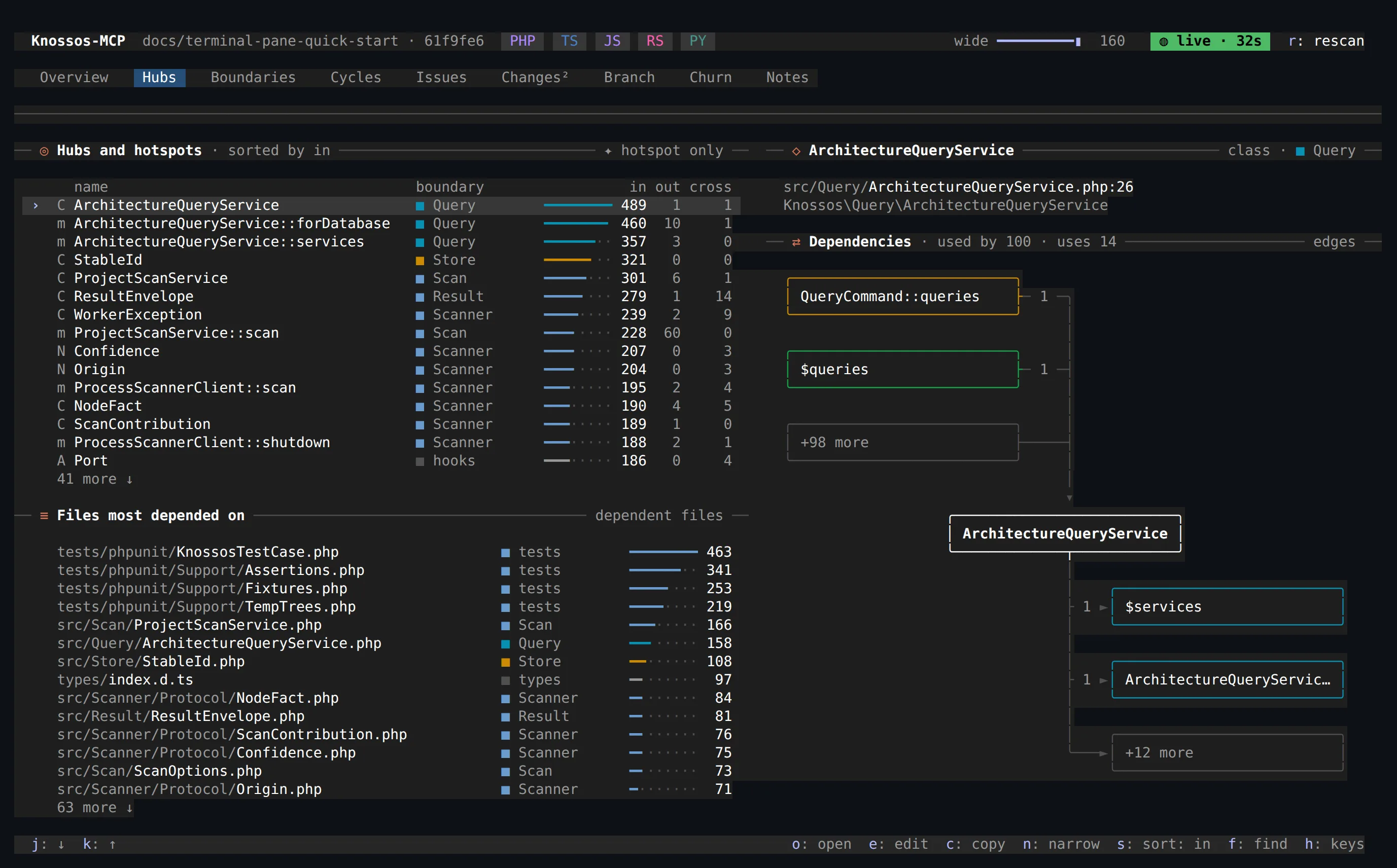
Open the workspace in your browser
knossos web opens the same nine-tab architecture workspace for Codex, another editor, or work outside an agent session. It includes the finder, component and file details, blast-radius rings, diffs and notes. Changes follows uncommitted work against the last commit.
cd /path/to/your-project
knossos web
Keep the command running while you use it; Ctrl-C stops the local server. To select a project and port without opening a browser automatically:
knossos web /path/to/your-project --port=8123 --no-openUse the printed address, including its token.
Keep knowledge on the component
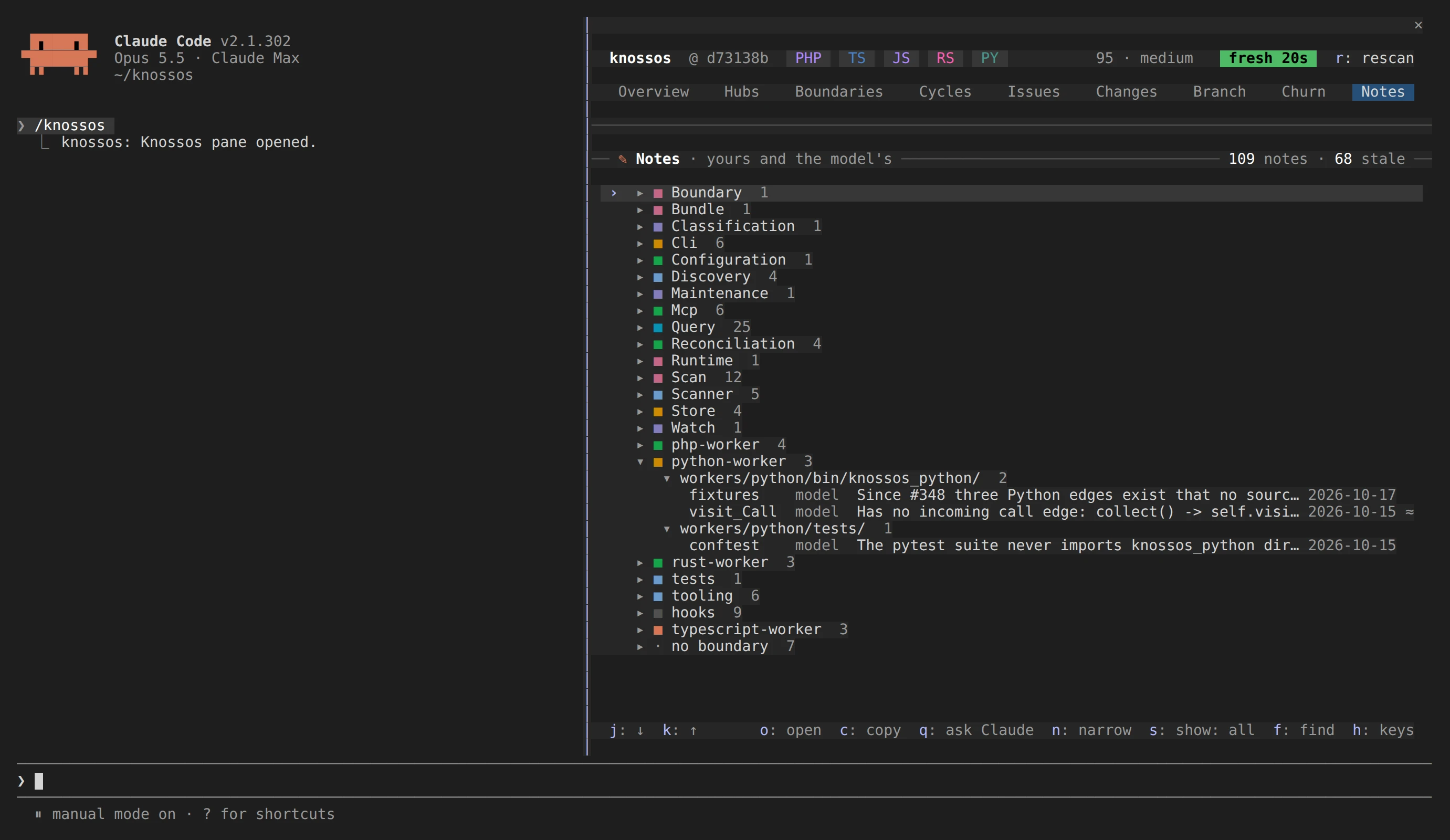
Attach durable facts to components instead of rediscovering them in each session. Notes survive rescans, and a human note takes precedence over an agent's. The Notes tab groups them by boundary and folder, marks stale notes and helps find the component you forgot.
Quick start
Knossos is not yet published to Packagist or any container registry, so install it from a checkout. You need PHP 8.3 or newer, Node 24 or newer, Python 3.11 or newer, Composer 2 and Git. Cargo 1.82 or newer is optional and adds Rust scanning.
Run the installer from the project you want to scan first:
git clone https://github.com/AraneaDev/knossos.git /absolute/path/to/knossos
cd /absolute/path/to/your-project
/absolute/path/to/knossos/tools/install
It creates the data directory ~/.knossos with a roots file that allows this project, scans it, and registers the MCP server with Claude Code at user scope. Then install the plugin, which carries the pane, the notes, the brief and the skill:
ln -s /absolute/path/to/knossos/bin/knossos ~/.local/bin/knossos
knossos install-agent-plugin                                        # preview
knossos install-agent-plugin --data-dir="$HOME/.knossos" --execute
Start a new session and type /knossos.
Marketplace installation is not supported. A marketplace clone lacks vendor/, which is required to run the bundled knossos command.
MCP, CLI and CI integration
MCP clients. The graph is available through 37 MCP tools: impact analysis, call sites, flows between components, cycles, hubs, dead-code candidates, change review, test impact, snapshots and trends. Codex and any client that takes the common mcpServers stdio entry can use them. The native pane and session messages use Claude Code hooks. Other clients can browse the graph with knossos in a terminal or knossos web.
The CLI. Every tool except server_info is also a command, with --json for scripts, and knossos usage lists them:
knossos impact-analysis . 'App\Billing\Invoice'
knossos review-diff . --base-ref=main --policies=architecture-policies.json
knossos watch /absolute/path/to/project
CI. Boundary policies say which part of the codebase may depend on which, and quality budgets cap regressions such as new cycles or boundary violations against a reviewed baseline:
knossos quality-gate . <baseline-snapshot> --budgets=knossos-budgets.json --sarif --jsonExit code 0 means every evaluated gate passed, 1 that a gate failed, and 2 that the result could not be evaluated, and --sarif outputs findings in SARIF format for CI integration.
Languages
| Language | Extraction | Framework enrichment |
|---|---|---|
| PHP 8.3+ | Declarations, inheritance, calls, construction, types, injection | Laravel, Livewire, Symfony |
| TypeScript/JavaScript | Compiler symbol resolution, imports, calls, types, project references, Vue/Svelte/Astro components | Next.js, NestJS, React, Vue, stores, endpoints |
| Python 3.11+ | Standard-library AST in an isolated interpreter; manifests, packages, calls, routes | FastAPI, Django, Flask, Celery |
| Rust 1.82+ | syn parsing; Cargo manifests, cross-file impls, routes. Never invokes cargo or rustc | axum, actix, Rocket |
Multi-language repositories produce one graph for impact analysis across language boundaries. Each relationship has a confidence level: certain, probable or possible. A path's confidence is limited by the lowest-confidence relationship along that path.
Scan isolation and access limits
Scanning never installs dependencies, executes project code or boots a framework. Workers run supervised and resource-capped, and their output is untrusted until it passes validation.
The server reads only the roots you allowed. Knossos never widens that list during normal operation: only the installer and knossos allow-root --execute write it.
A failed scan is never activated. The last complete scan stays the graph you query, and the database is derived from the source, so it can always be rebuilt.